Android & Windows — Free beta

You need to write to a foreigner.
Or talk to them.
Speak in English. We'll handle the rest.

VoiceLingua translates what you say aloud, reformulates your text in the right tone (professional, casual, medical…), and turns every word you don't understand into a personalized lesson. Android & Windows.

Use case 1

You need to write in a language you don't master

Your Spanish client sends you a message. You need to reply professionally. You don't know how to phrase it.

With VoiceLingua, you dictate in English what you want to say. The AI translates it into your target language, applies the professional tone, and lets you copy or insert the text directly into any app.

  • 7 tones available: standard, professional, casual, medical, legal, academic, journalistic
  • 5 formats: paragraph, email, bullet points, summary, short message
  • Auto-insert into any text field
Use case 2

You're abroad and can't understand the locals

You're at a restaurant in Barcelona. The waiter explains the menu in rapid Spanish. Or you're at a hotel in Berlin and the receptionist gives you directions you don't understand.

You place your phone on the table (Android) or press the global keyboard shortcut Ctrl + Shift + Space (Windows). The conversation is transcribed and translated in real time. You read what they say, word for word, on your screen — and you can reply by speaking in your own language.

  • Real-time transcription via WebSocket
  • 8 languages: French, English, Spanish, German, Italian, Portuguese, Japanese, Chinese
  • Global Windows shortcut: always accessible
What no one else does

A word in the translation you don't understand?
Click it. Learn it. Never forget it.

1

Select the word

In the translation, highlight any word or expression that blocks you.
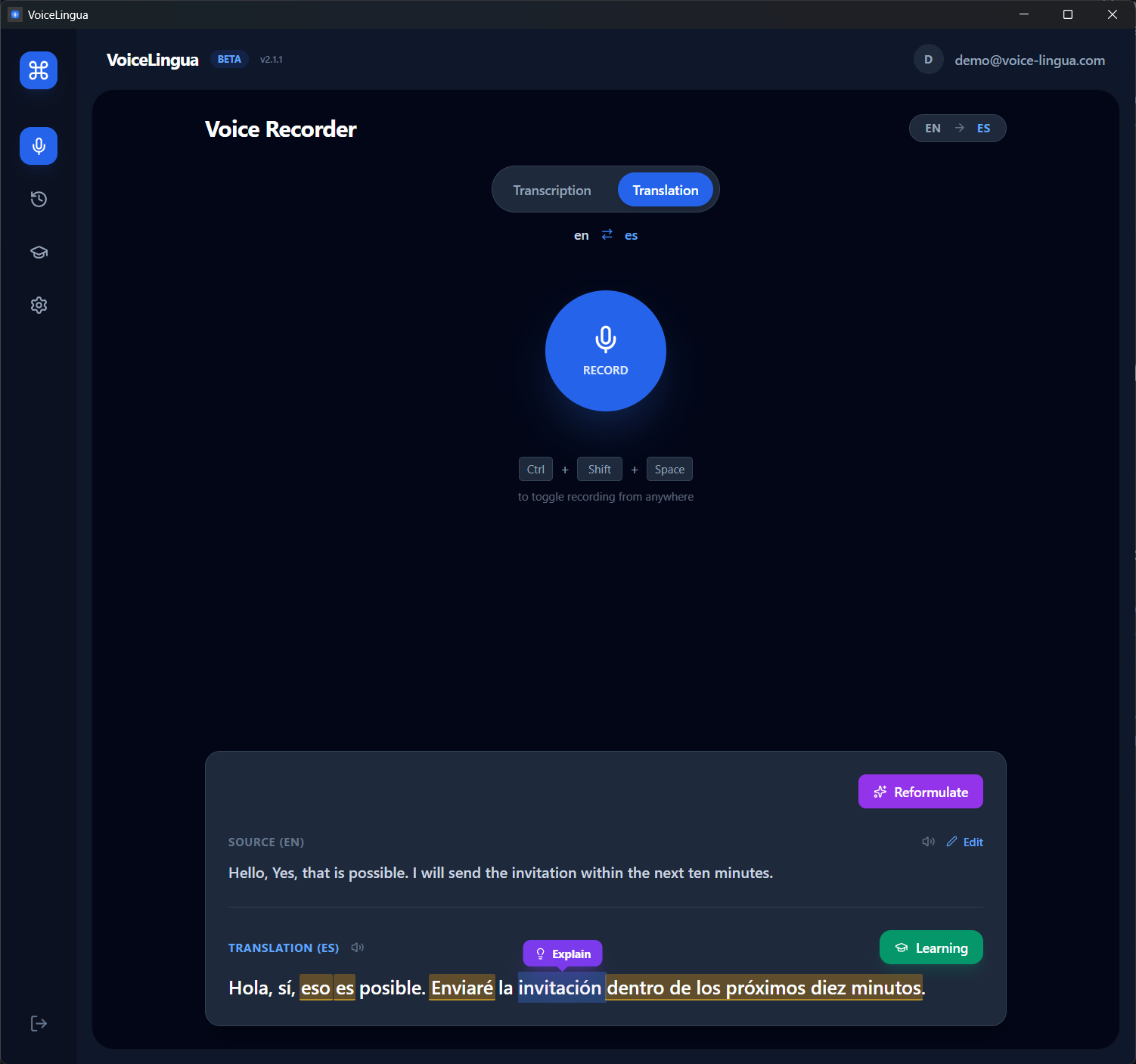
Screenshot: translated text with a highlighted word + 'Explain' tooltip
2

The AI explains it

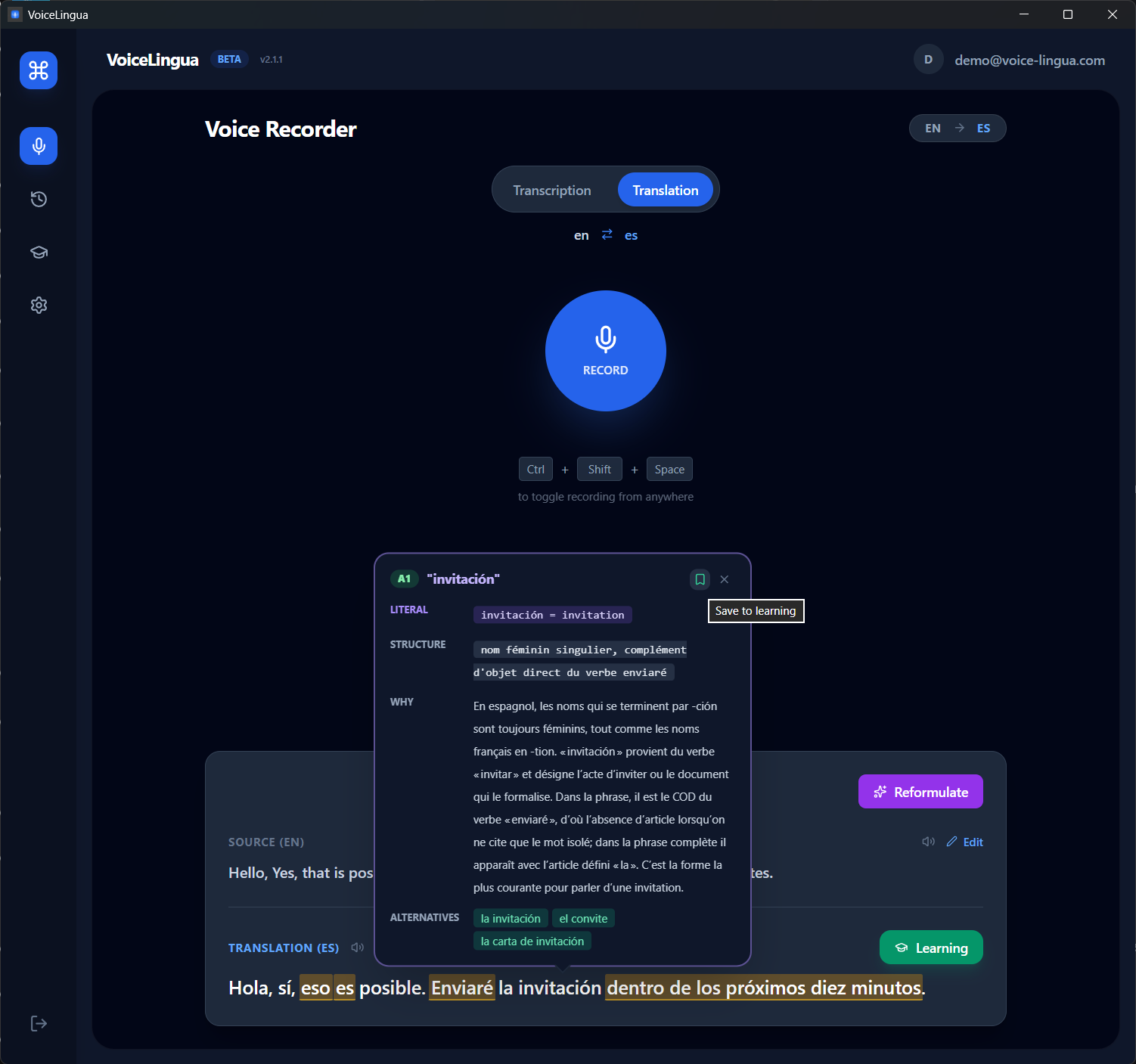
Contextual definition, grammar, difficulty level (CEFR), and other ways to say the same thing.
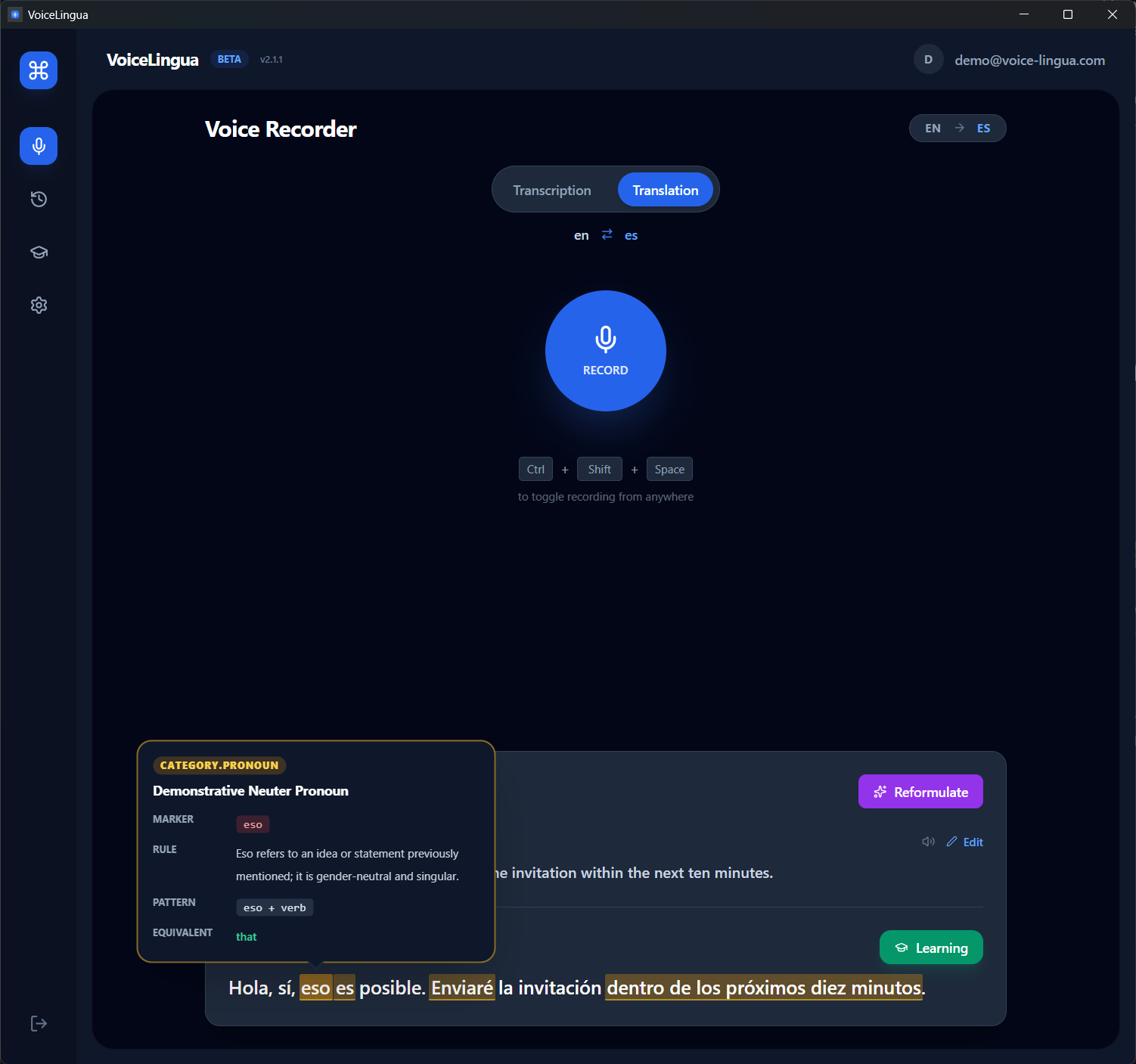
Screenshot: 'Explanation' panel with AI definition, B1 level, examples
3

Review tomorrow. And the day after.

The word is saved to your Learn space and becomes a flashcard with the SM-2 algorithm. The app brings it back at the right time so it stays in your head.
Screenshot: Learn screen with flashcards and Again/Hard/Good/Easy buttons

"I used to dread emails in other languages. Now I read them in Chrome and reply by talking."

• ROADMAP

What's coming next

VoiceLingua is in active beta. Here's what we're building next.

COMING SOON
🏆

Gamification

Streaks, XP, levels, and achievements to keep you motivated and consistent in your language learning journey.

PLANNED
📱

iOS app

A native iOS version with the same floating overlay and full feature set, bringing VoiceLingua to iPhone and iPad.

Frequently asked questions

What exactly does VoiceLingua do?

VoiceLingua is an AI assistant for people who need to communicate in a language they don't fully master. It does three things: 1) Dictate in your language, it writes in the target language with the right tone. 2) Transcribe and translate conversations in real time. 3) Explain any word you don't understand and turn it into a flashcard for long-term memorization.

On which platforms is it available?

VoiceLingua is currently available on Android (via Google Play) and Windows (installer).

Do I need to create an account?

Yes, a free account is required to use the beta. You get 30 minutes of transcription per month at no cost. No credit card is needed.

Is my audio stored on your servers?

No. Audio is processed in real time and is not stored permanently. Only transcriptions and translations are saved in your account so you can review them later.

Pricing

Simple pricing for every need

Save 17%

Free

$0 forever

Try VoiceLingua at your own pace

  • 15 min/month transcription (desktop)
  • 10 min/month transcription (mobile)
  • 8 languages
  • Translation
  • Personal flashcards (manual creation)
  • 10 TTS generations / month
  • AI-generated flashcards
  • Tones & reformulation
  • Priority support
Download free
Coming Soon

Pro

$129 / year

≈ $10.75/mo

For power users and creators

  • 4h/day transcription (desktop)
  • 2h/day transcription (mobile)
  • Everything in Personal
  • Tones & reformulation (7 tones, 5 formats)
  • Priority support
  • Early access to new features

Prices in USD or EUR. Billed via Paddle (our Merchant of Record), who handles VAT/sales tax. Auto-renews until cancelled. Cancel anytime from your account. 14-day refund on first purchase — see our Refund Policy.

Download the free beta

30 minutes of transcription included. No credit card. Test it on your real use case.

Android 9+ / Windows 10+.